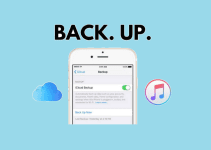
Cloud storage has revolutionized how we handle data in both personal and business settings. Today, it’s also increasingly bundled with productivity suites, collaboration tools, and AI features (search, summarization, content creation), while security expectations have risen to include ransomware recovery, zero-knowledge encryption, and stronger account protections. Cloud services will continue getting better for years to come, thanks to constant innovation that makes cloud storage faster, cheaper, and more secure.
With cloud storage, it’s no longer required to own a physical storage device with all the space and technical knowledge it entails. Anyone can easily acquire a cloud storage service and store their files online. You can easily share data between individuals, to the public, or colleagues, and many services now include advanced link controls (passwords/expiry), file recovery/version history, and cross-device sync.
For small businesses, most cloud storage providers offer enough capabilities to save money, space, and time—especially when cloud storage doubles as team collaboration and backup. Another major reason to use cloud storage is backups: many providers offer sync apps, camera uploads, and ransomware/file recovery tools so your data stays current and accessible.
We have gathered some of the best cloud storage services that can be easily accessed by everyone. According to TechRadar’s expert rankings, the right cloud storage can make a significant difference in how you manage your digital life.
List of 13 Best Free Cloud Storage Services to Back up & Keep Your Files Secure
If you need the best free Cloud Storage to backup data such as photos, videos, and important files on both your PC or Smartphone, you can rely on our recommendations for Cloud Storage Services, below. PCMag’s experts have tested leading services for usability, reliability, and security features.
1. OneDrive

onedrive cloud
OneDrive is Microsoft’s cloud storage service built into modern Windows (Windows 10/11) and tightly integrated with Microsoft 365 apps. It’s particularly strong for Office workflows (Word/Excel/PowerPoint), and includes version history plus ransomware recovery features for OneDrive files on paid tiers.
OneDrive still offers 5GB free. Current Microsoft 365 consumer plans commonly used for OneDrive upgrades include:
- Free: 5GB
- Microsoft 365 Basic: $1.99/month (or $19.99/year) with 100GB
- Microsoft 365 Personal: $9.99/month (or $99.99/year) with 1TB
- Microsoft 365 Family: $12.99/month (or $129.99/year) with up to 6TB total (up to 6 users)
Key Features:
- Seamless integration with Windows and Microsoft 365
- Version history + ransomware recovery options (plan-dependent)
- Real-time collaboration on Office files
- Personal Vault for extra-protected files
Pros:
- Best-in-class Windows + Microsoft ecosystem integration
- Great for Office workflows and collaboration
- Good value when bundled with Microsoft 365
Cons:
- Free storage (5GB) is limited
- Sync speed can vary with many small files
Best For:
- Windows users and Microsoft 365 subscribers
- Students and professionals working in Office formats
2. Google Drive

Best Cloud Storage to Keep Your Files Secured
Google Drive remains a top pick for collaboration thanks to Google Docs/Sheets/Slides and easy sharing. The free tier is still 15GB, but it’s shared across Google Drive, Gmail, and Google Photos.
Google One (storage subscription) currently lists:
- Free: 15GB (shared across Drive/Gmail/Photos)
- Basic: 100GB for $1.99/month
- Standard: 200GB for $2.99/month
- Premium: 2TB for $9.99/month
Note: Google also now offers separate Google AI plans that bundle storage with higher AI usage limits (e.g., “Google AI Pro” shows 2TB for $19.99/month on the plans page).
Key Features:
- 15GB free storage shared across Google services
- Real-time collaboration in Docs/Sheets/Slides
- Strong search across files
- Deep integration with Gmail/Android/Google Workspace
Pros:
- Excellent collaboration features
- Works across all major platforms
Cons:
- Storage is shared across multiple Google products
Best For:
- Students, educators, and teams collaborating daily
- People already living in the Google ecosystem
3. Mega Cloud

mega cloud storage
MEGA remains one of the most privacy-forward mainstream options, built around end-to-end encryption and user-controlled keys. Its free plan is currently shown as 20GB with a limited transfer quota.
MEGA’s Pro plans have been updated versus older “400GB/2TB/8TB/16TB” lists. For example (as shown on the MEGA pricing page with yearly billing selected in USD), the tiers shown include:
- Pro Lite: 750GB storage + 12TB transfer (yearly-billed monthly price shown)
- Pro I: 3TB storage + 36TB transfer (yearly-billed monthly price shown)
- Pro II: 10TB storage + 120TB transfer (yearly-billed monthly price shown)
- Pro III: 20TB storage + 240TB transfer (yearly-billed monthly price shown)
Key Features:
- End-to-end encryption (zero-knowledge design)
- Generous free tier (20GB) with transfer limits
- Link sharing controls (password/expiry on paid tiers)
Pros:
- Strong privacy posture
- Very large paid storage tiers
Cons:
- Transfer quota limits can surprise heavy downloaders
Best For:
- Privacy-conscious users
- People storing large encrypted archives
4. DropBox

dropbox cloud storage
Dropbox is still a gold standard for “it just works” syncing and cross-platform apps. The free tier remains 2GB.
Current personal plan pricing shown by Dropbox includes:
- Basic: 2GB free
- Plus: $9.99/month with 2TB
- Family: $16.99/month with 2TB shared across up to 6 users (and a Family folder)
- Professional: $16.58/month with 3TB
Dropbox also shows a yearly Family checkout example of $203.88/year (with “$16.99/month when billed yearly” displayed), which is useful for keeping your pricing section current.
Key Features:
- Reliable multi-device sync
- Version history + restore windows (plan-dependent)
- Sharing tools and broad integrations
Pros:
- Very stable syncing reputation
- Easy sharing and strong ecosystem integrations
Cons:
- Free storage is small (2GB)
Best For:
- Professionals who want simple, dependable sync
- Teams and families who share folders regularly
5. pCloud
pCloud remains a popular “value + features” option, especially because it offers both subscriptions and lifetime plans. Free accounts are still marketed as “up to 10GB” (depending on completing onboarding steps), and paid subscriptions are clearly listed as: 500GB for $4.99/month or $49.99/year; 2TB for $9.99/month or $99.99/year.
pCloud’s lifetime deals change frequently; its lifetime page currently shows a “Limited Time Deal” with:
- Free plan: 10GB
- Lifetime 500GB: $175 (one-time)
- Lifetime 2TB: $350 (one-time)
Key Features:
- Up to 10GB free (depending on completed steps)
- Subscription + lifetime payment options
- Optional client-side encryption add-on (pCloud Crypto)
- Virtual drive + sync tools
Pros:
- Flexible pricing (monthly/yearly/lifetime)
- Good balance of usability and features
Cons:
- Client-side encryption is typically an add-on cost
Best For:
- Users who want a lifetime option
- Media-heavy storage (photos/videos)
6. NextCloud
Nextcloud is still a leading self-hosted alternative for people who want maximum control over data location and policies. It’s open-source and free to self-host, but Nextcloud’s Enterprise subscriptions (support + enterprise features) are priced per user/year and have updated tiers.
On Nextcloud’s pricing page, Enterprise plans are shown starting at 100 users at:
- Standard: 71.29€/user/year
- Premium: 104.99€/user/year
- Ultimate: 204.75€/user/year
Key Features:
- Self-hosted control (you choose infrastructure + storage)
- Large app/plugin ecosystem
- Enterprise features (SSO/SAML, policies, auditing) with subscriptions
Pros:
- Maximum control and privacy (self-hosted)
- Highly customizable
Cons:
- Requires technical maintenance if self-hosting
Best For:
- Organizations with compliance/data-sovereignty needs
- Advanced users who want a private cloud
7. Sync.com

sync cloud storage
Sync.com continues to emphasize privacy (end-to-end encryption / zero-knowledge style positioning) and straightforward sharing. Its free tier is still widely listed as 5GB in major roundups.
Sync’s pricing pages now show updated Solo and Team tiers. On Sync’s pricing page (individuals), Solo plans shown include:
- Solo Basic: $8/month for 2TB
- Solo Professional: $20/month for 6TB
Teams pricing shown includes:
- Teams Standard: $6 CAD/user/month (billed annually) with 1TB per user
- Teams+ Unlimited: $15 CAD/user/month (billed annually) with unlimited storage
Key Features:
- Privacy-first design and encrypted storage positioning
- Strong sharing controls and no file size limits (commonly highlighted)
Best For:
- People who prioritize privacy over “office-suite” extras
8. iCloud
iCloud Best Cloud Storage
iCloud remains the default choice for Apple ecosystem users (iPhone/iPad/Mac), especially for device backups and Photos. Apple’s iCloud+ tiers and prices have changed in some regions; Apple Support currently lists (United States) monthly pricing as:
- Free: 5GB
- 50GB: $0.99
- 200GB: $2.99
- 2TB: $10.99
- 6TB: $32.99
- 12TB: $64.99
Key Features:
- Best integration with Apple devices
- iCloud+ privacy features (e.g., Private Relay, Hide My Email) depending on region
- Automatic device backups
Best For:
- Apple users who want “set it and forget it” backup + sync
9. MiCloud

xiaomi cloud
Mi Cloud still provides Xiaomi users with 5GB free storage when enabled. Xiaomi also documents membership tiers (in Mi points/year) that increase storage and extend recycle-bin retention. The “policies” page lists:
- Free membership: 5GB
- Gold member: +50GB (49 Mi points/year)
- Platinum member: +200GB (99 Mi points/year)
- Diamond member: +1024GB (499 Mi points/year)
Best For:
- Xiaomi users who want phone-native backup and sync
10. Amazon Drive

Amazon Drive
Important update: Amazon Drive was discontinued on December 31, 2023, and Amazon shifted focus to Amazon Photos.
If you’re recommending Amazon for cloud storage today, it’s more accurate to point users to Amazon Photos (especially for photo backup). Amazon notes that Prime members get unlimited photo storage plus 5GB video storage. Amazon also lists paid video storage options like:
- 100GB: $1.99/month
- 1TB: $6.99/month
- 2TB: $11.99/month
Best For:
- Amazon Prime members who want easy photo backup
11. iDrive
IDrive continues to stand out because it blends cloud storage with strong backup features, and it supports backing up multiple devices under one account.
IDrive’s pricing page currently shows (Yearly tab) a free 10GB Basic plan and “first year” promotional pricing on Personal tiers. For IDrive Personal, it lists:
- 5TB: $99.50/year (standard) and $69.65 first year
- 10TB: $149.50/year (standard) and $104.65 first year
- 20TB: $249.50/year (standard) and $174.65 first year
- 50TB: $499.50/year (standard) and $349.65 first year
- 100TB: $999.50/year (standard) and $699.65 first year
Key Features:
- 10GB free tier
- Strong backup + versioning style features
- Multi-device backup support
12. Internxt
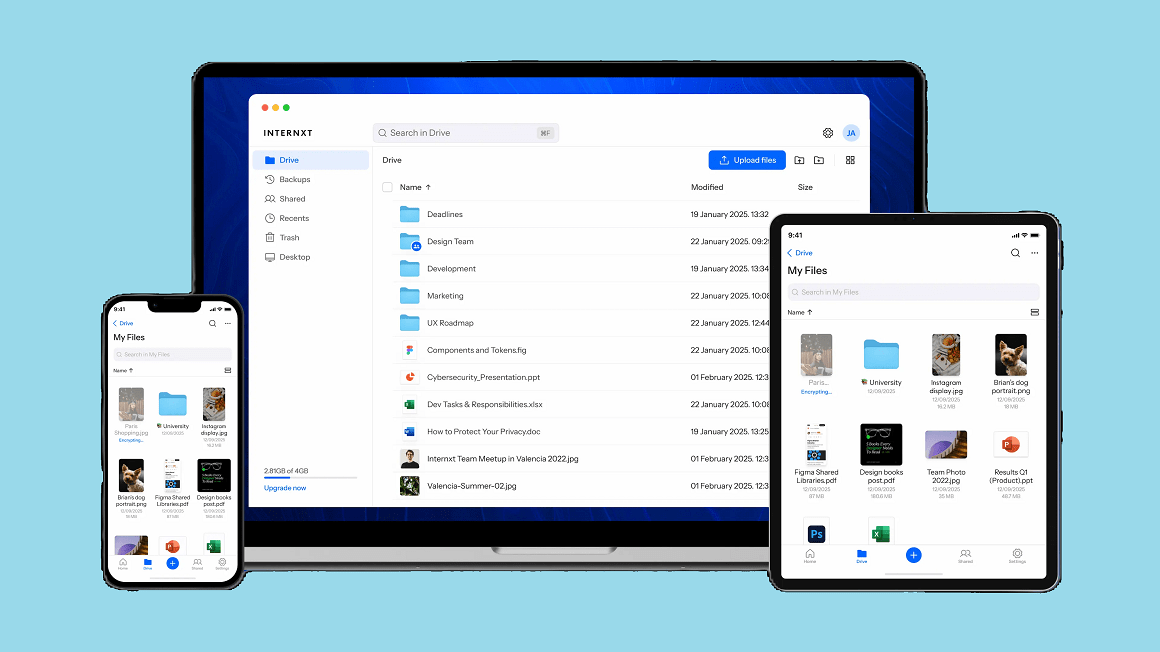
Internxt continues positioning itself as a privacy-first provider (zero-knowledge style messaging and post-quantum encryption marketing). Internxt’s current pricing pages are difficult to extract cleanly in a static crawl (some plan-card content renders in a way that isn’t fully readable in our capture), but the same pages clearly show a free plan with 1GB.
For up-to-date “real-world” pricing references, Macworld lists (at time of its review) the free tier and example monthly pricing such as:
- Free: 1GB
- Essential (1TB): $3.30/month (noted as an offer vs a higher usual monthly price)
- Premium (3TB): $6.60/month (noted as an offer vs a higher usual monthly price)
Best For:
- Users who want a privacy-focused alternative with frequent discounts
13. IceDrive
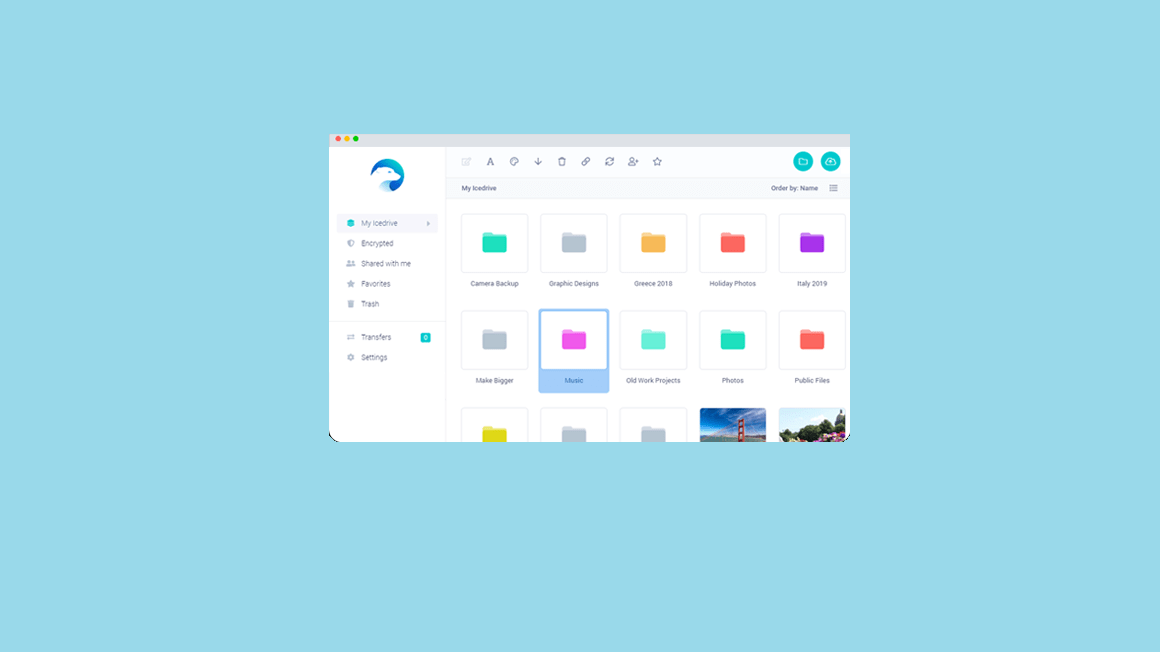
IceDrive is still known for its “virtual drive” concept (mounting cloud storage like a drive letter) and modern UI. However, at the time of updating this content, direct access to Icedrive’s pricing page was blocked by Cloudflare in our environment—so the official plan cards couldn’t be verified directly from Icedrive. (This is why you may want to double-check directly from your own browser.)
For an updated third‑party snapshot, Experte’s review lists:
- Free: 10GB
- Lite: 100GB starting from $3.99/month
- Pro I: 1TB starting from $5.99/month
- Pro III: 3TB starting from $10.99/month
It also describes lifetime tiers (storage: 512GB / 2TB / 10TB), but the “one-time payment” amounts are not cleanly presented as one-time figures in the comparison table excerpt (they appear as comparison numbers).
Conclusion
There’s really no reason not to use cloud storage in the current year: nearly every provider offers a free tier, and paid tiers increasingly bundle productivity, collaboration, backup, and even AI features. The best choice depends on what matters most to you—ecosystem fit (Apple/Google/Microsoft), collaboration vs. pure backup, privacy/zero-knowledge encryption, and your budget.
If you want, paste the remaining parts of your article (if any sections exist beyond what you shared), and tell me which currency/region you want pricing in (US, UK, EU, etc.). I can then normalize all prices consistently for your audience while keeping your links and images intact.
You May Also Like
 Data Security & Privacy
Beyond the Perimeter: The Architecture of Production-Grade Data Security (2026)
 Cloud Storage
Best Photo Backup for iPhone: 7 Reliable Ways to Keep Your Memories Safe
 Data Security & Privacy
What Is a Cloud Security Scanner for AWS, Azure, and Google Cloud?
 Cloud Storage
What Is pCloud Crypto? A Real-World Look at Encrypted Cloud Storage
 Cloud Storage
The Ultimate Guide to Sending Large Files Online: Top 20 Services for Easy File Sharing
 Data Security & Privacy
How to Protect Your Data With Google Cloud Platform: Complete Security Guide
 Cyber Security
Can Ransomware Infect iCloud? Complete Security Guide for Apple Users
 Cyber Security
Is Cloud Storage Safe From Ransomware? A Complete Protection Guide
 Cloud Storage