Having trouble with your computer acting slow or crashing? Maybe you just built a new PC or overclocked some parts? You need to test if everything works properly under heavy use. This guide shows you the best stress test software to check your CPU, GPU, and RAM stability in 2025.
Stress testing is super important. It helps you find problems before they cause crashes, data loss, or expensive hardware damage. Think of it like taking your car for a test drive before a long road trip.
What is Computer Stress Testing?
Computer stress testing pushes your hardware to work harder than normal. This helps you find weak spots in your system. Just like testing a bridge with heavy trucks, stress tests show if your computer can handle tough tasks.
Modern computers in 2025 are more powerful than older computers. New CPUs have more cores, GPUs handle 4K gaming and AI workloads, and RAM speeds keep getting faster. This means stress testing is even more important to make sure everything works together smoothly.
Why You Need to Stress Test Your PC in 2025
Here are the main reasons to stress test your computer:
- New PC builds – Make sure all parts work well together
- After overclocking – Check if your faster settings are stable
- Cooling problems – See if your fans and coolers work properly
- Random crashes – Find what’s causing system problems
- Before important work – Make sure your PC won’t fail during critical tasks
- Gaming performance – Test if your system can handle demanding games
12 Best CPU Stress Test Tools for 2025
Your CPU (processor) is the brain of your computer. Testing it properly is crucial for system stability.
1. Prime95

Best CPU Stress Test For PC
Prime95 is the gold standard for CPU stress testing in 2025. It’s trusted by overclockers and system builders worldwide for over 25 years. This free software uses math to find Mersenne prime numbers, pushing your processor to its limits.
It’s great at finding CPU instability, overheating, and memory problems. These issues might not show up during normal use.
Prime95 stands out because it stresses both CPU cores and system memory at the same time. It has three testing modes: Small FFTs, Large FFTs, and Blend mode. These modes test different parts of your system.
Modern versions support the latest processors. This includes Intel’s 13th and 14th generation Core processors, AMD Ryzen 7000 and 8000 series, and Apple’s M-series chips.
The software’s torture test feature is famous among PC enthusiasts. It quickly finds unstable systems. If your computer runs Prime95’s torture test for 6-24 hours without issues, your CPU and memory are stable.
This makes it perfect for testing overclocked systems, new PC builds, or solving random crashes.
What’s new in 2025:
- Enhanced support for Intel’s Arrow Lake and AMD’s Zen 5 architectures
- Improved multi-threading for processors with 32+ cores
- Better compatibility with Windows 11 24H2 update
- Optimized memory testing for DDR5-6400+ speeds
- Enhanced ARM64 processor support
Best for: Overclockers, system builders, and anyone needing the most thorough CPU stability testing available.
2. AIDA64

aida64 cpu temperature
AIDA64 is the top choice for detailed system checks and stress tests your CPU and RAM in 2025. It offers a more realistic way to test CPUs than synthetic tests. Unlike other tools, AIDA64 simulates real-world tasks while still testing your CPU’s limits.
This makes it perfect for businesses, system integrators, and fans who need tests that show how systems really perform.
The software’s advanced CPU stress testing includes tests for different parts like integer calculations and cache performance. It supports the latest CPUs from Intel and AMD, showing how each platform performs. It also tracks over 150 sensor values in real-time, giving you a clear view of your system’s performance under load.
AIDA64 stands out with its top-notch stability testing that can run for days or weeks. It has special tests for servers, workstations, and high-performance computing. The detailed reports help prove system reliability and can be used for warranty claims.
What’s new in 2025:
- Updated support for DDR5-8000 memory testing
- Enhanced AI workload simulation tests
- Improved thermal monitoring for liquid cooling systems
- New benchmarks for NPU (Neural Processing Unit) performance testing
- Advanced RGB LED integration for system monitoring
- Enhanced multi-GPU testing capabilities
Best for: Professional system builders, IT departments, businesses needing certified system stability, and enthusiasts looking for realistic stress tests.
3. OCCT (OverClock Checking Tool)
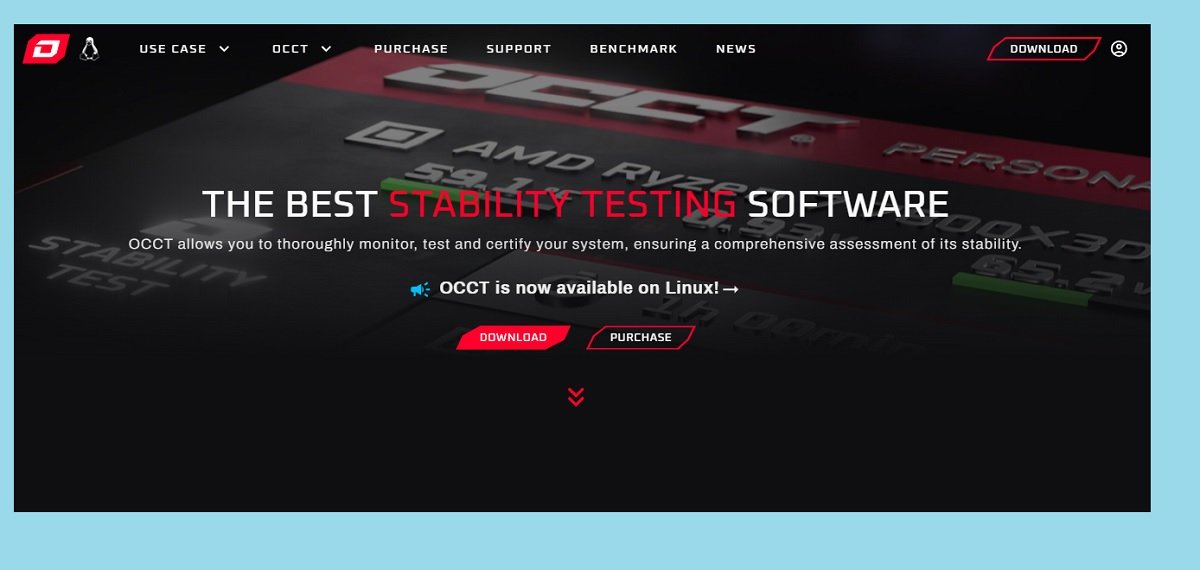
OCCT has emerged as the most comprehensive free stress testing solution in 2025, combining CPU, GPU, and power supply testing in a single, user-friendly package. With over 34 million downloads worldwide, this French-developed software has become the go-to choice for modern PC builders who want professional-grade testing without the professional price tag. The software’s intelligent testing algorithms automatically adjust workloads based on your hardware configuration, ensuring optimal stress testing for any system.
The revolutionary 3D adaptive testing feature sets OCCT apart from traditional stress testing tools by dynamically adjusting GPU loads while simultaneously testing CPU and memory stability. This approach better simulates real-world gaming and content creation scenarios where multiple components work together under varying loads. The software includes specialized tests for different use cases: light usage patterns for office computers, extreme scenarios for overclocked systems, and gaming simulations for enthusiast builds.
OCCT’s advanced monitoring and reporting system integrates seamlessly with HWiNFO64 to provide the most accurate hardware monitoring available. The software tracks temperatures, voltages, clock speeds, and power consumption across all system components while running stress tests. Real-time alerts warn you if temperatures exceed safe limits, and the automatic test-stopping feature prevents hardware damage from overheating or instability.
What’s new in 2025:
- Full Linux support for server and workstation testing
- AI compute testing for modern GPUs
- Enhanced power supply stability validation
- Automatic stability certificates with blockchain verification
- Improved multi-GPU testing capabilities
- Real-time temperature alerts and automatic shutdown protection
Best for: Modern PC builders, gamers, content creators, and anyone wanting a complete free stress testing solution with professional features.
4. IntelBurn Test

IntelBurn test
IntelBurn Test remains one of the most aggressive CPU stress testing tools available in 2025, capable of generating even higher processor loads than Prime95 in shorter time periods. This lightweight utility uses Intel’s Linpack libraries to perform intensive mathematical calculations that push your CPU’s floating-point units and cache systems to absolute maximum capacity. The software is particularly effective at quickly identifying cooling inadequacies and unstable overclocks that might take hours to detect with other tools.
The extreme stress testing approach of IntelBurn Test makes it ideal for validating high-performance systems and extreme overclocks. The software can typically crash an unstable system within minutes rather than hours, making it perfect for quick stability checks during overclocking sessions. Despite its name, IntelBurn Test works great with AMD processors too. It can stress test any modern CPU architecture well.
Power users and overclockers appreciate IntelBurn Test. It can make a CPU produce a lot of heat and power. This makes it great for testing cooling solutions and power supply stability under extreme conditions.
The software is easy to use. You can choose how much system memory to use during testing. You can also set how many test iterations to run. This lets you control how intense and long the test is.
What’s new in 2025:
- Improved compatibility with Windows 11 ARM64 systems
- Enhanced support for high-core-count processors (32+ cores)
- Better memory allocation for systems with over 128GB RAM
- Updated Linpack libraries for better accuracy
- Improved temperature monitoring integration
Best for: Extreme overclockers, cooling system testers, and users needing quick stability validation for high-performance systems.
Best GPU Stress Test Tools for 2025
Your graphics card (GPU) handles gaming, video editing, streaming, and AI workloads. These tools will push your GPU to find any stability issues.
5. 3DMark

Best GPU Stress Test
3DMark is still the industry standard for GPU benchmarking and stress testing in 2025. It’s used by many around the world to check how well graphics cards perform. This tool makes stunning 3D graphics in real-time, pushing GPUs to their limits.
It also gives you accurate performance measurements to compare with others. The software’s game-like scenarios are great for testing how your graphics card will do in games.
The latest 3DMark tests for 2025 include tests for ray tracing, DLSS 3, AMD FSR 3, and AI workloads. These tests are key for checking if high-end graphics cards like the RTX 4090 and AMD RX 7900 XTX can handle today’s games and apps.
3DMark’s professional stress testing capabilities include long stability tests. These tests can run for hours to check overclocked graphics cards and custom cooling solutions. The software also tracks temperatures, frame rates, and stability, helping spot issues before they cause problems.
What’s new in 2025:
- Enhanced ray tracing stress tests for RTX 50-series and RDNA 4
- AI compute benchmarks for machine learning workloads
- DLSS 4 and FSR 4 compatibility testing
- 8K resolution testing capabilities
- Advanced VR headset compatibility testing
- Real-time frame generation stability validation
Best for: Gamers, content creators, hardware reviewers, and anyone with modern graphics cards wanting to validate their performance.
6. Unigine Heaven & Valley

Heaven and Valley Benchmarks
Unigine Heaven and Valley are the most trusted free GPU stress testing tools in 2025. They are loved by overclockers and system builders. These tools quickly spot graphics card instability and overheating.
They use advanced tessellation and dynamic lighting to create tough GPU workloads. This reveals stability problems fast, not slow. The fantasy landscapes and realistic environments make stress testing fun while being serious.
The tessellation-heavy rendering in Heaven and Valley is great for testing modern graphics cards. They test geometric processing loads found in today’s games. These benchmarks find memory errors, thermal throttling, and power delivery issues that lighter tests miss.
They are perfect for testing overclocking stability and comparing performance. Overclockers and enthusiasts love the real-time monitoring. It shows GPU temperatures, clock speeds, and frame rates during testing.
The built-in stress testing modes can run for hours. This makes them ideal for validating cooling solutions and long-term stability. Both benchmarks are free with no limits, making them available to all.
What’s new in 2025:
- Updated DirectX 12 and Vulkan API support
- Enhanced compatibility with RTX 40-series and RX 7000-series cards
- Improved multi-GPU testing capabilities
- Better integration with hardware monitoring tools
- Enhanced 4K and ultrawide resolution support
- Optimized performance for modern GPU architectures
Best for: Overclockers, budget-conscious users, anyone needing reliable free GPU stress testing, and users wanting beautiful visual benchmarks.
7. FurMark

FurMark GPU Stress Test
FurMark is known as the ultimate GPU torture test in 2025. It pushes graphics cards to their limits to test how well they handle heat and stability. This tool uses intense fur rendering to create lots of heat and power use.
Some say FurMark’s workload is too much. But it’s great for testing cooling systems and finding thermal problems. It’s perfect for extreme testing.
FurMark is great for checking custom cooling solutions and overclocks. It can quickly heat up even the strongest graphics cards. This helps see if your cooling can handle high temperatures.
Professional system builders and overclockers love FurMark. It creates consistent, high thermal loads that show cooling problems. Its simple design makes it ideal for quick thermal checks during overclocking or after new cooling setups.
What’s new in 2025:
- Enhanced compatibility with RTX 50-series and RDNA 4 architectures
- Improved multi-GPU stress testing capabilities
- Better integration with modern temperature monitoring tools
- Enhanced DirectX 12 and Vulkan rendering paths
- Improved stability with high-refresh-rate displays
- Better support for ultrawide and multi-monitor setups
Best for: Cooling solution testers, extreme overclockers, system builders validating thermal performance, and users needing maximum GPU thermal stress testing.
8. MSI Kombustor
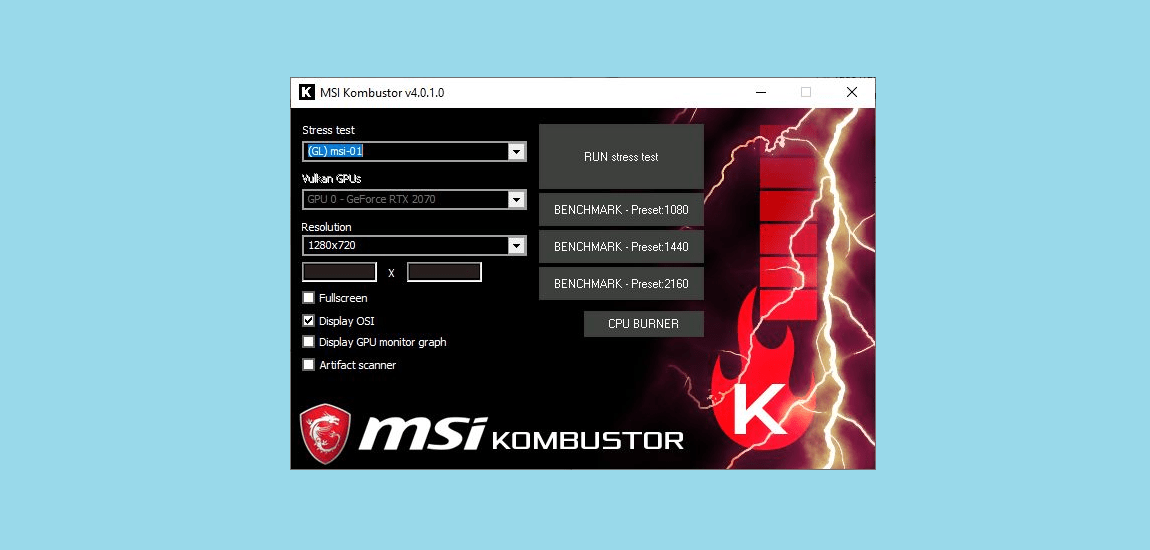
MSI Kombustor serves as the modern evolution of GPU stress testing in 2025, combining the intensive thermal testing of FurMark with more realistic gaming workloads and advanced graphics features. This comprehensive GPU testing suite includes multiple stress test scenarios ranging from basic thermal testing to advanced ray tracing and compute shader validation. The software provides both synthetic torture tests and game-like scenarios, making it perfect for comprehensive graphics card validation.
The advanced graphics features testing in MSI Kombustor includes tests for ray tracing and more. It checks variable rate shading, mesh shaders, and DirectX 12 Ultimate features. These tests find issues that regular stress tests might miss.
Professional content creators and gamers appreciate MSI Kombustor. It tests both extreme scenarios and real gaming workloads. The detailed monitoring and reports help spot problems early, ensuring smooth gaming or rendering.
What’s new in 2025:
- Advanced ray tracing stability testing
- AI compute workload validation
- Enhanced multi-GPU configuration testing
- Improved VRAM stress testing capabilities
- Better integration with MSI Afterburner
- Advanced DirectX 12 Ultimate feature testing
Best for: Modern gamers, content creators, users with high-end graphics cards, and anyone needing comprehensive GPU feature validation.
Best RAM Stress Test Tools for 2025
Your computer’s memory (RAM) stores data your CPU needs quickly. Bad RAM can cause crashes, data corruption, and system instability.
9. Memtest86

memtest86 ram test
Memtest86 is the top choice for checking RAM in 2025. It tests your system’s memory fully, without any interference. It can find even tiny memory errors that might not crash your system right away but could damage data over time.
The advanced tests in Memtest86 include over 20 patterns. These tests stress different parts of modern memory systems. They are key for checking DDR5 memory in 2025, where small issues can cause big problems.
System builders and overclockers use Memtest86 to check memory settings and ensure systems stay stable. It can run for hours or days, perfect for testing new systems or finding issues that only show up under stress.
What’s new in 2025:
- Enhanced DDR5-8000+ speed testing capabilities
- Advanced row hammer vulnerability testing
- Improved ECC memory error detection
- Better compatibility with Intel 15th gen and AMD Zen 5 platforms
- Enhanced reporting and error logging
- Improved UEFI boot compatibility
Best for: System builders, overclockers, IT professionals, and anyone with random crashes or system instability.
10. TestMem5
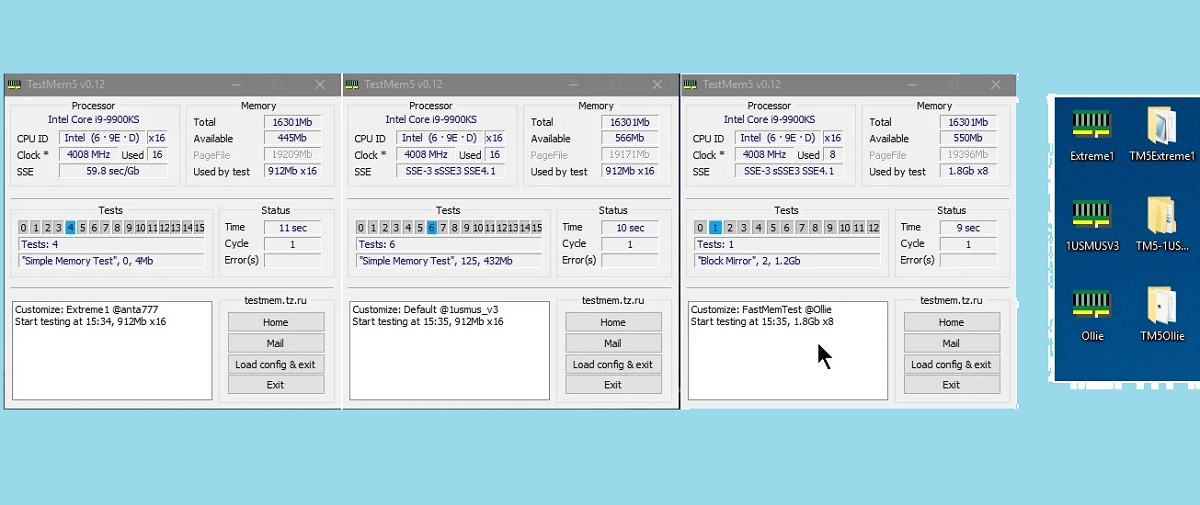
TestMem5 is the top pick for RAM testing in 2025. It’s faster and more focused than tools like Memtest86. It can spot unstable memory in minutes, great for tweaking memory settings.
The focused testing of TestMem5 uses customizable test patterns. It has presets for different tests, from quick checks to full validation. It reports errors in real-time, helping find issues fast.
Memory overclockers and enthusiasts love TestMem5 for its quick feedback. It lets you adjust settings without waiting hours. It’s the go-to tool for validating high-performance memory.
What’s new in 2025:
- Enhanced DDR5 testing algorithms optimized for high speeds
- Improved error detection for subtle stability issues
- Better integration with hardware monitoring tools
- Enhanced multi-threaded testing for faster results
- Improved compatibility with Windows 11 24H2
- Advanced configuration presets for different use cases
Best for: Memory overclockers, enthusiasts fine-tuning RAM settings, and users needing quick memory stability validation.
11. Karhu RAM Test
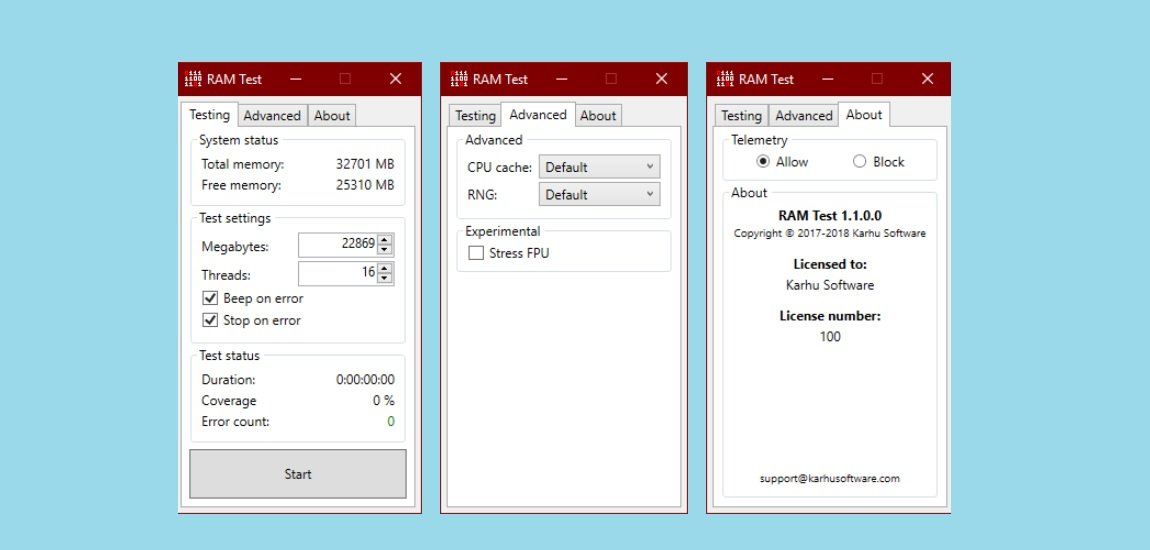
Karhu RAM Test represents the premium solution for professional memory testing in 2025, combining the thoroughness of traditional memory tests with modern efficiency and user-friendly reporting. This commercial memory testing tool provides comprehensive validation of system memory while offering detailed analysis and reporting features that make it ideal for professional system builders and businesses requiring certified memory stability.
The professional-grade testing capabilities include advanced error analysis, detailed reporting, and the ability to generate certification documents for system validation. The software’s efficient testing algorithms can identify memory stability issues faster than traditional tools while providing more detailed information about the nature of any problems discovered.
Professional system integrators and businesses choose Karhu RAM Test for its reliable testing algorithms and professional reporting capabilities. The software provides the detailed documentation needed for warranty claims and system certification, making it valuable for commercial applications where memory reliability is critical.
What’s new in 2025:
- Enhanced professional reporting and certification features
- Improved DDR5 testing algorithms
- Better integration with enterprise hardware monitoring
- Advanced error analysis and troubleshooting guidance
- Enhanced multi-platform compatibility
- Improved automated testing capabilities
Best for: Professional system builders, IT departments, businesses requiring certified memory testing, and users wanting premium memory validation tools.
Best Hardware Monitoring Tools for 2025
While running stress tests, you need to watch your system’s temperature, voltages, and performance. These tools help you monitor everything safely.
12. HWiNFO64

hwinfo64
HWiNFO64 is the most comprehensive hardware monitoring solution in 2025. It gives detailed real-time info on every part of your computer. It tracks hundreds of sensors across your CPU, GPU, motherboard, memory, and storage devices.
This tool gives you full insight into your system’s health and performance. It’s perfect for stress testing. The software’s extensive hardware database ensures it works with the latest components from all major manufacturers.
The professional monitoring capabilities include advanced sensor logging and customizable alerts. It’s great for both enthusiasts and professionals. HWiNFO64 can track and log sensor data over time.
This lets you analyze system behavior patterns and spot potential issues early. It’s the core of most professional system testing setups.
System builders and overclockers rely on HWiNFO64 for its accurate sensor readings. It helps them safely push their systems to the limits. The software detects thermal throttling, power limit throttling, and other performance limiters.
What’s new in 2025:
- Enhanced support for Intel 15th gen and AMD Zen 5 platforms
- Improved DDR5 memory monitoring capabilities
- Advanced AI accelerator monitoring (NPU sensors)
- Better integration with liquid cooling systems
- Enhanced power consumption monitoring
- Improved multi-GPU monitoring capabilities
Best for: System builders, overclockers, IT professionals, and anyone needing comprehensive hardware monitoring during stress testing.
How to Choose the Right Stress Test Software
Choosing the right stress testing tools depends on your specific needs and system configuration. Here’s how to choose:
For New PC Builds:
- Use OCCT for comprehensive testing
- Run Prime95 for CPU validation
- Test RAM with Memtest86
For Overclocked Systems:
- Quick tests: TestMem5 for RAM, IntelBurn Test for CPU
- Comprehensive validation: AIDA64 + 3DMark
- Monitor with HWiNFO64
For Professional/Business Use:
- AIDA64 for certified testing
- PassMark BurnInTest for extended validation
- Karhu RAM Test for professional memory certification
Stress Testing Safety Tips for 2025
Before You Start:
- Ensure proper cooling is installed and working
- Monitor temperatures constantly during testing
- Have good antivirus software to avoid malware
- Back up important data before stress testing
During Testing:
- Never leave stress tests running unattended
- Stop testing if temperatures exceed 85°C (CPU) or 83°C (GPU)
- Watch for system instability or artifacts
- Use reliable networking tools to monitor remotely if needed
After Testing:
- Check system logs for errors
- Verify all components are working normally
- Run registry cleaners if needed
- Document your results for future reference
Conclusion
Stress testing your computer in 2025 is crucial as technology advances. The tools mentioned in this guide offer detailed testing for all system parts. They are perfect for building a new PC, overclocking, or fixing stability problems.
Always watch your system while testing and don’t overwork it. Regular stress tests can stop sudden failures. This keeps your computer running well for many years.
For more tips on keeping your computer in top shape, see our articles on CPU temperature monitoring, Windows repair tools, and system optimization.
You May Also Like
 SaaS
SaaS
11 Best VoIP Call Center Solutions for Small Business 2026 (Comparison Guide)
 Best Software
6 Best Software to Record Mouse and Keyboard Actions and Automate Repetitive Tasks
 Best Software
Jira vs Hive: Which Project Management Tool is Right for Your Team?
 Best Software
8 Best Free Registry Cleaners Tools to Clean Junk and Registry on Windows PC
 Best Software
12 Top Plumbing Management Software Solutions for 2026
 Best Software
ServiceTitan Pricing Explained: How Much Does ServiceTitan Cost for Your Business?
 Best Software
12 Best Construction Project Management Software For Your Businesses
 Best Software
The 10 Best Payroll Software for Small Business in 2026
 Best Software